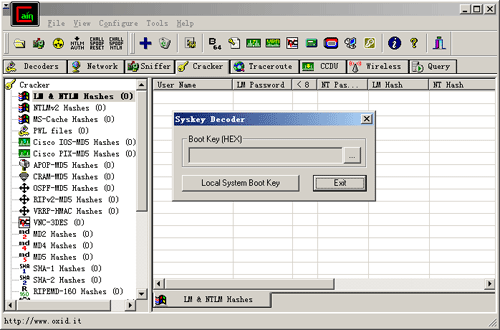

Cain & Abel was presented since May 23, 2018 and is a great application part of Password Recovery subcategory. It gained over 28,550 installations all time and 1,046 last week. It is accessible for Windows and the interface is in English. The program was built by Massimiliano Montoro and has been refreshed on January 23, 2019. How To Install Cain & Abel on Windows 10 + FIX 2018 Back. Cain and Abel Fix Windows 10 (WORKING!). Using Cain & Abel to Crack Passwords (Dictionary, Hybrid, Brute Force, and Rainbow Tables). How to Grab IP Addresses From Xbox LIVE (Cain & Abel). How to Use Cain to Sniff Your Network/Crack Passwords.
Cain and Abel is a password recovery tool for Microsoft Windows and key tool for pen-testing. It can recover many kinds of passwords using methods such as network packet sniffing, cracking various password hashes by using methods such as dictionary attacks, brute force and cryptanalysis attacks. Cain and Abel is no longer supported for Windows versions and so to use it with the latest operating systems you will need to add two dll files to your system.
Download the Cain and Abel zip from Mega Once the page is loaded simply press the download button. Unzip the files to a location on your computer You can either use the built in Windows zip file extractor or third party software such as WinRar. If your anti-virus blocks or quarantines any of the files you will have to manually allow them and restore them back to your computer. Run the ca_setup.exe You will now have two items a exe installer for Cain and Able and a folder called DLL Files containing the two patch files.
Cme uf series midi keyboard driver for mac os x. Open the ca_setup.exe to begin installation of Cain and Abel. Follow the installation steps From the first page press next. Then next again at the terms and conditions page. At the select destination directory chose where you would like to install Cain and Abel.
Usually the default location of C: Program Files Cain is the best option. Once you have chosen the directory select next. Now you will be given the option to Select ProgMan Group. If you want to change the name of Cain then do it here otherwise leave this blank and press next. Finally you will be ready to install Cain and Abel press the next button to begin. After a short time Cain and Abel will be installed and almost ready to use click finish to end the installation process.
When you get the WinPcap Installation message select the install option. Simply ignore the Windows is not supported message we will fix this next click OK to hide the message.
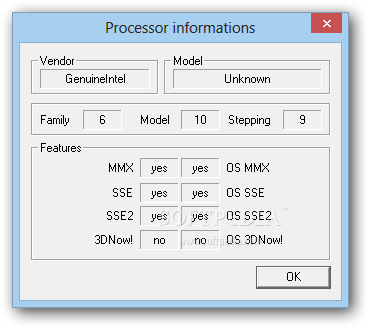
Copy the Dll files into the correct location Copy the two files below that are found in the DLL Files folder that came with the zip we downloaded into the correct path for your windows system. If you are running a 32 bit windows machine then copy the two dll files into the following system path C: Windows System32 For 64 bit windows machines copy the two dll files into this path C: Windows SysWOW64 6. Now open Cain from the desktop icon You will get a message telling you some features may not work with the firewall enabled. You will need to disable your firewall if you find any features of Cain do now work as expected. However, for beginners the firewall can be left enabled and most features will still work normally.
- Author: admin
- Category: Category