
The following method only bypasses iCloud activation on iPhone 4 and after that, it can only be used as iPod, there will be no carrier signal. Keep in mind, the iOS Soft Dev Pack Tool will not work on iOS 7.1.1, it will brick the iPhone 4 into a boot loop. Download and install 2. Download and extract 3. 01284***** softbank Japan 32Gb iPhone 4 iOS 7.1.2. I use iOS Soft Dev Pack + jb iOS 7.1 to activate it anytime it goes off Please if you can help me permanently unlock it, I will be very grateful. The iPhone is not blacklisted.
Download and install iOS Soft Dev Pack - Click on Tethered Jailbreak iOS 7.1 iPhone 4 - Click 1 to run the ssh_rd tool - Put your iPhone 4 into DFU mode - Wait until ssh_rd tool is done (when you see Successful in GREEN letters) - Click number 2 to mount your device filesystem (if not mounted the first time, just close the window, and click number 2 again) - Click number 3 to copy the needed files over to tether jailbreak your iPhone 4 - Your device will reboot and look like its in restore mode. - Click Tethered Boot iOS 7.1 iPhone 4 button (depending on your device you will need to choose the correct tether boot option they are as follows: AT&T-3,1 Sprint-3,2 Verizon- 3,3). - Once its done you wont see Cydia just yet, this is a tethered Jailbreak. - Now you need to boot tether your device again by following step 10 again (Click tethered boot iOS 7.1 iPhone 4 button depending on your device you will need to choose the correct tether boot option they are as follows: AT&T-3,1 Sprint-3,2 Verizon-3,3). - This time when your device turns on, scroll to the side, and you'll find Cydia! You can see the vido tutoriel: download iOS Soft Dev Pack in the description of vido in youtube Last edited by saif31; at 03:56 AM.
Reduce the time and effort required to develop and manage Oracle databases You're taking on more database responsibilities than ever before. The business demands you move faster but when combined with declining resources critical databases and applications are at risk. What if you could use a single toolset to speed Oracle development, administration and management to reduce cost and risk and without compromising reliability and performance? 
HP USB Disk Storage Format Tool is a product developed by Hewlett Packard.This site is not directly affiliated with Hewlett Packard.All trademarks, registered trademarks, product names and company names or logos mentioned herein are the property of their respective owners. HP USB Disk Storage Format tool (HPUSBDisk.exe) is a Windows-based format utility that is designed to format USB hard drive or SD cards to FAT, FAT32, or NTFS file system. It allows users to create a FAT32 volume which is larger than 32 GB. 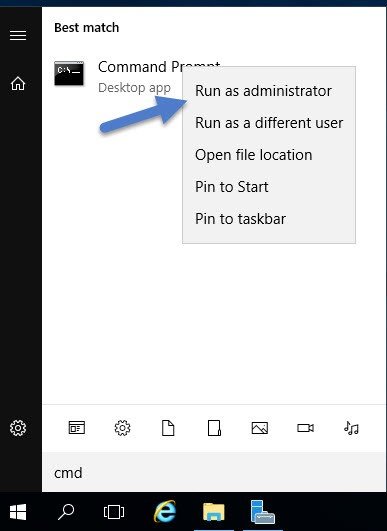 HP USB Disk Storage Format Tool free download, HP USB Disk Storage Format 2019 is a tool that can be used to format any USB Flash Drive, Memory Stick, Memory Card, with your desired file system FAT, FAT32, or NTFS. This tools is to easy to use all you have to do is specify the device you would like to format. HP USB Disk Storage Format Tool Free. Simply download and run, no installation required. I tried the HP USB Disk Storage Format Tool, and it make short work of the job. Reply to this review. Overall, HP USB Disk Storage Format Tool utility will format any USB flash drive, with your choice of FAT, FAT32, or NTFS partition types. You can also make the disk bootable by specifying a file location. The downside is that you may have to run the tool as administrator.
Whether your Oracle database is on premises or in the cloud, Toad® for Oracle is the only solution of its kind that will simplify your workflow, help reduce code defects and improve code quality and performance while supporting team collaboration. On the operations side, you can automate administration tasks and proactively manage your databases while embracing performance optimization and risk mitigation.
- Author: admin
- Category: Category